Track resting heart rate, HRV, sleep and Body Battery over time
Follow your Garmin health data over weeks and months: resting heart rate, HRV, sleep, stress, Body Battery, weight and more, with your own notes on the chart.
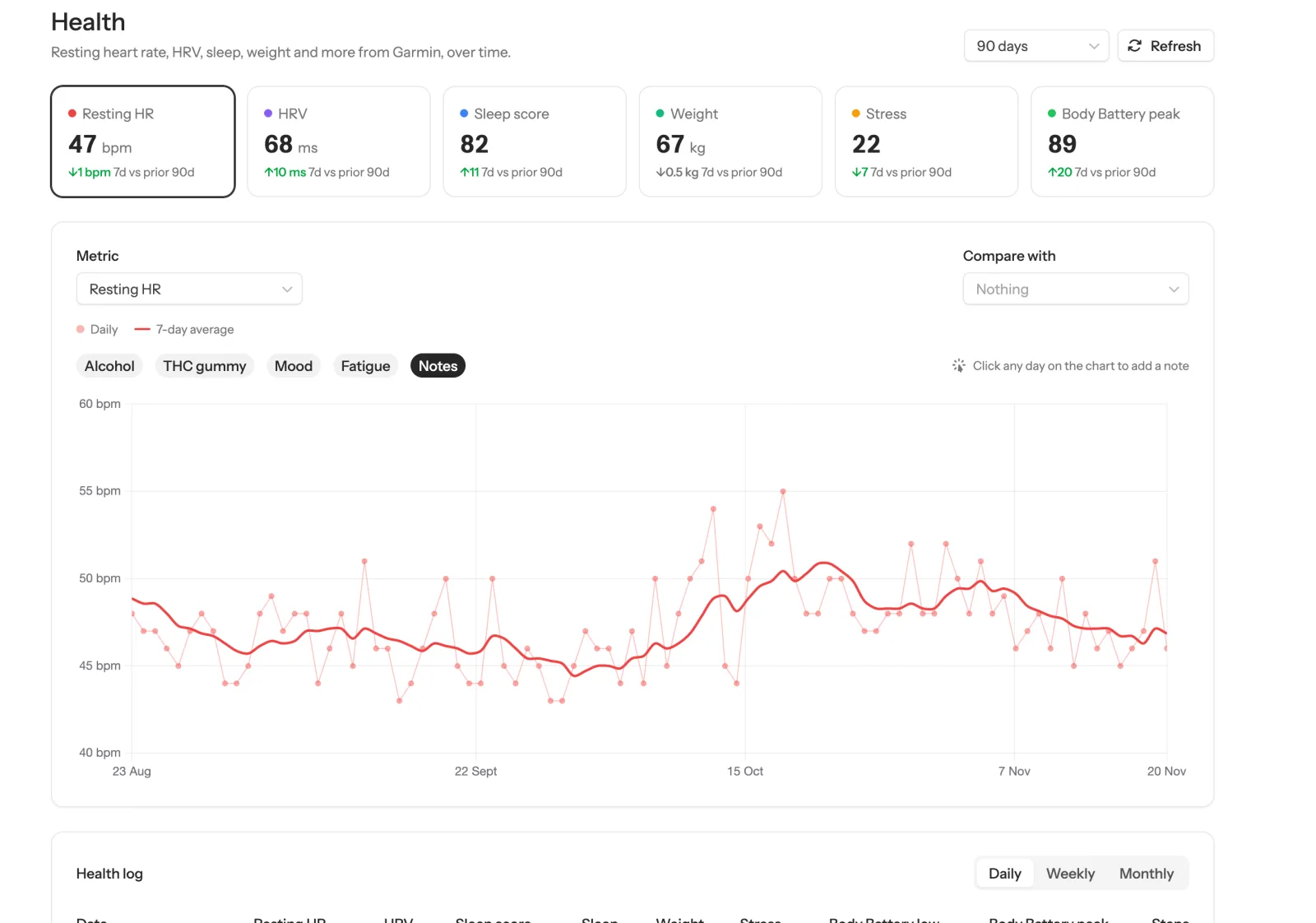
What Health does
-
Everything your watch measures
Resting and sleeping heart rate, HRV, sleep score and hours, stress, Body Battery, VO₂ max, fitness age, weight, body fat, respiration, steps and intensity minutes.
-
Trends that mean something
Each figure against your own recent normal, with a green, amber or red read, and HRV inside Garmin’s balanced range.
-
Compare any two
Put any two health figures on one chart to see how sleep moves your HRV, or stress your resting heart rate.
-
Your notes on the chart
Click any day to add a note, like a late night or feeling run down, and it shows where it happened.
-
A health log
Daily, weekly and monthly tables of every figure, for when you want the numbers rather than the lines.
How it works
All you need is a Garmin watch and a Garmin Connect account.
- 1 Sign up Create your account with your email address.
- 2 Connect Garmin Allow access on Garmin’s own page. It takes a couple of minutes.
- 3 It fills itself in Each run and night of sleep arrives minutes after your watch syncs.
More features
All features- Diary Every day in one place: your training, your body, the weather and your own notes, with what’s coming up above today. See how it works →
- Planner Plan your week by day and time of day, and watch each session tick itself off as your Garmin activities arrive. See how it works →
- Dashboard Runs, distance, time and load for the week, month or year, with what you planned next to what you did. See how it works →
- Run analysis Splits, heart rate zones, training effect, the weather and how rested you were, for every run. See how it works →
- Training Weekly and monthly distance, pace, climbing and load against a four-week average, so you know when you’re building. See how it works →
- Workouts Build interval and tempo workouts with your own paces, then send them to your watch and your plan in one click. See how it works →