Zones
See how much of your running is in each heart rate and pace zone
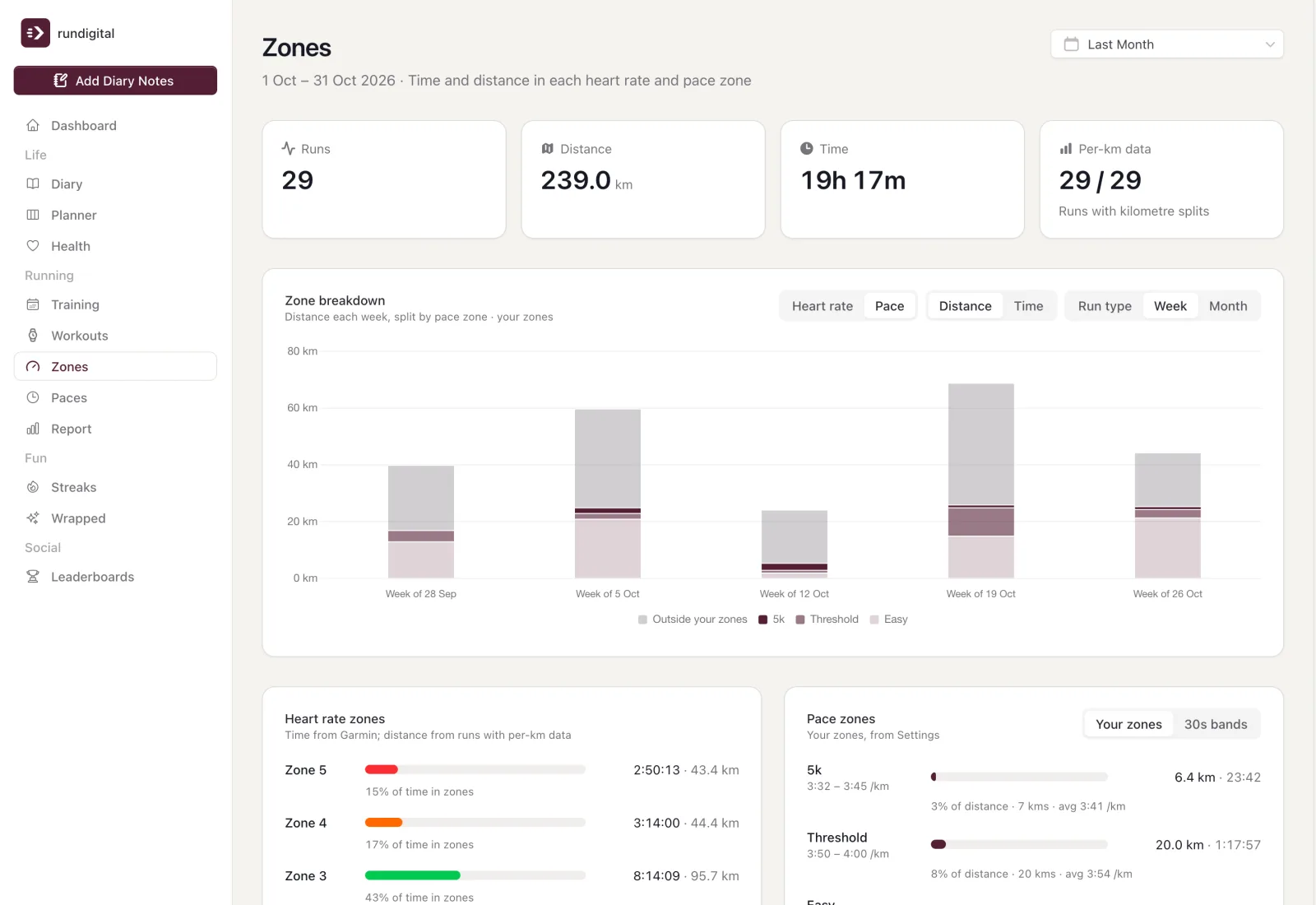
Time and distance in each heart rate and pace zone, by run type, week or month. Set your own pace zones or use 30-second bands, and check your easy days stay easy.
What Zones does
-
Heart rate zones
Time in each of your five heart rate zones, straight from Garmin, for any range of dates.
-
Pace zones
Distance in each pace zone, counting every kilometre by its own pace. Name your own zones, like Easy and Threshold, or use 30-second bands.
-
Zone breakdown
A stacked chart of every run type, week or month split into zones, so you can see your intensity balance shift.
-
Any dates, any runs
Pick the range, and measure in time or distance.
How it works
All you need is a Garmin watch and a Garmin Connect account.
- 1 Sign up Create your account with your email address.
- 2 Connect Garmin Allow access on Garmin’s own page. It takes a couple of minutes.
- 3 It fills itself in Each run and night of sleep arrives minutes after your watch syncs.
More features
All features- Training Weekly and monthly distance, pace, climbing and load against a four-week average, so you know when you’re building. See how it works →
- Workouts Build interval and tempo workouts with your own paces, then send them to your watch and your plan in one click. See how it works →
- Paces What you could race at every distance, from your own recent best efforts, with the workings shown. See how it works →
- Report Plot any two things about your runs against each other: are you faster in the cold, or after a good night’s sleep? See how it works →
- Dashboard Runs, distance, time and load for the week, month or year, with what you planned next to what you did. See how it works →
- Run analysis Splits, heart rate zones, training effect, the weather and how rested you were, for every run. See how it works →