A Garmin running dashboard for your week, month and year
See this week’s runs, distance, time and training load at a glance, with planned sessions beside what you’ve done. Built on your Garmin data, updated as your watch syncs.
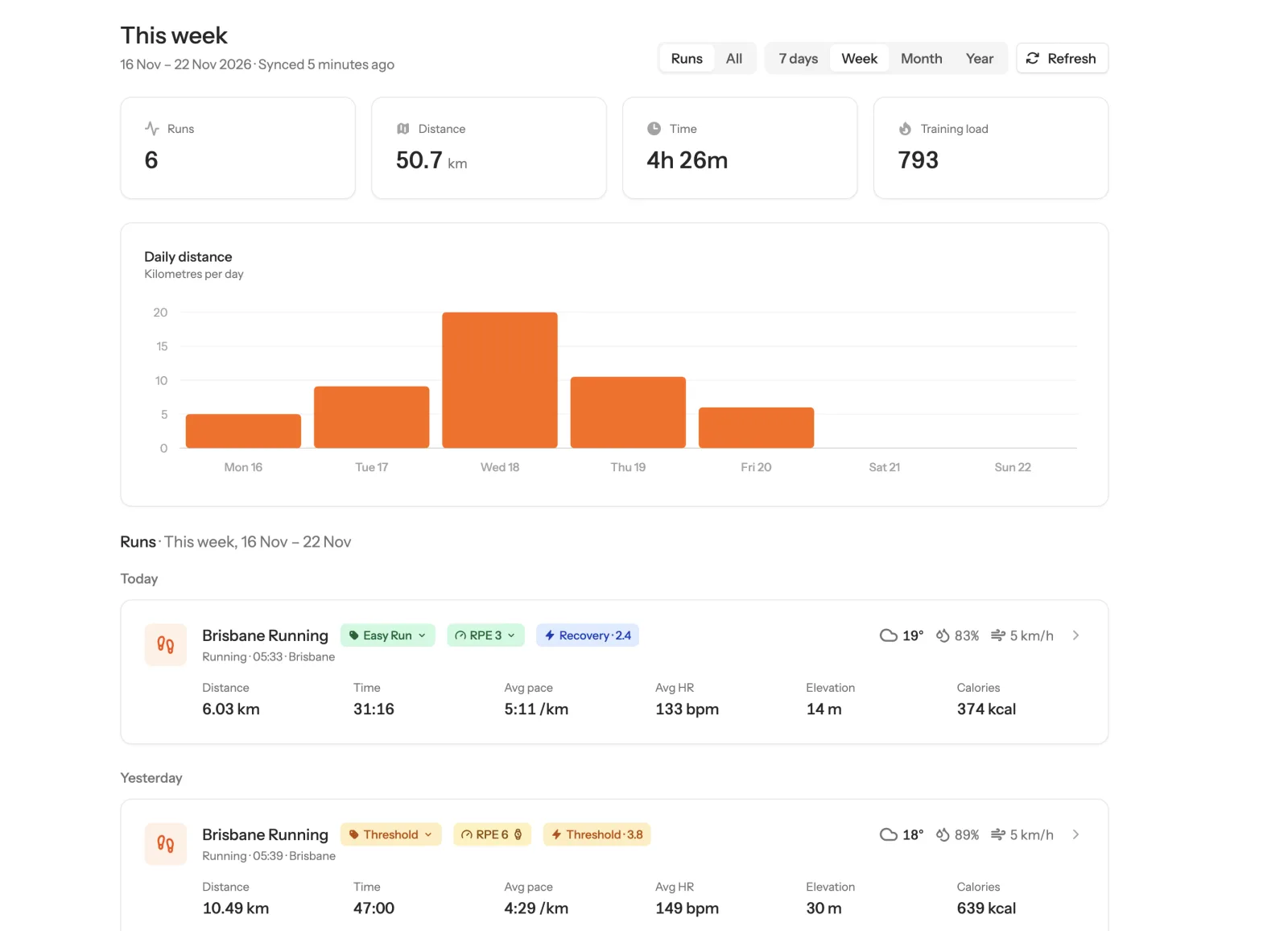
What Dashboard does
-
Any period at a glance
Switch between the last 7 days, this week, this month and this year. Runs, distance, time and training load add up as you go, and the whole period shows, days still to come included.
-
Acute and chronic load
Your training load for the last 7 days next to your weekly average over four weeks, with a clear balanced, high or low read on how they compare.
-
Done beside planned
A daily distance chart with your planned sessions beside each day, and workouts from the workout builder marked apart from the rest. Switch to time, or hide what’s planned.
-
Runs or everything
Keep it to runs, or take in rides, swims, walks and the gym too, with each sport stacked in its own colour and its share of every total.
-
Every run, with its weather
Each run of the period is listed with its distance, time, pace, heart rate and the conditions you ran in. Tag the run type and log how hard it felt right there.
How it works
All you need is a Garmin watch and a Garmin Connect account.
- 1 Sign up Create your account with your email address.
- 2 Connect Garmin Allow access on Garmin’s own page. It takes a couple of minutes.
- 3 It fills itself in Each run and night of sleep arrives minutes after your watch syncs.
More features
All features- Run analysis Splits, heart rate zones, training effect, the weather and how rested you were, for every run. See how it works →
- Diary Every day in one place: your training, your body, the weather and your own notes, with what’s coming up above today. See how it works →
- Planner Plan your week by day and time of day, and watch each session tick itself off as your Garmin activities arrive. See how it works →
- Health Resting heart rate, HRV, sleep, stress, Body Battery and weight over time, with your own notes on top. See how it works →
- Training Weekly and monthly distance, pace, climbing and load against a four-week average, so you know when you’re building. See how it works →
- Workouts Build interval and tempo workouts with your own paces, then send them to your watch and your plan in one click. See how it works →