Training
Your running training log, week by week and month by month
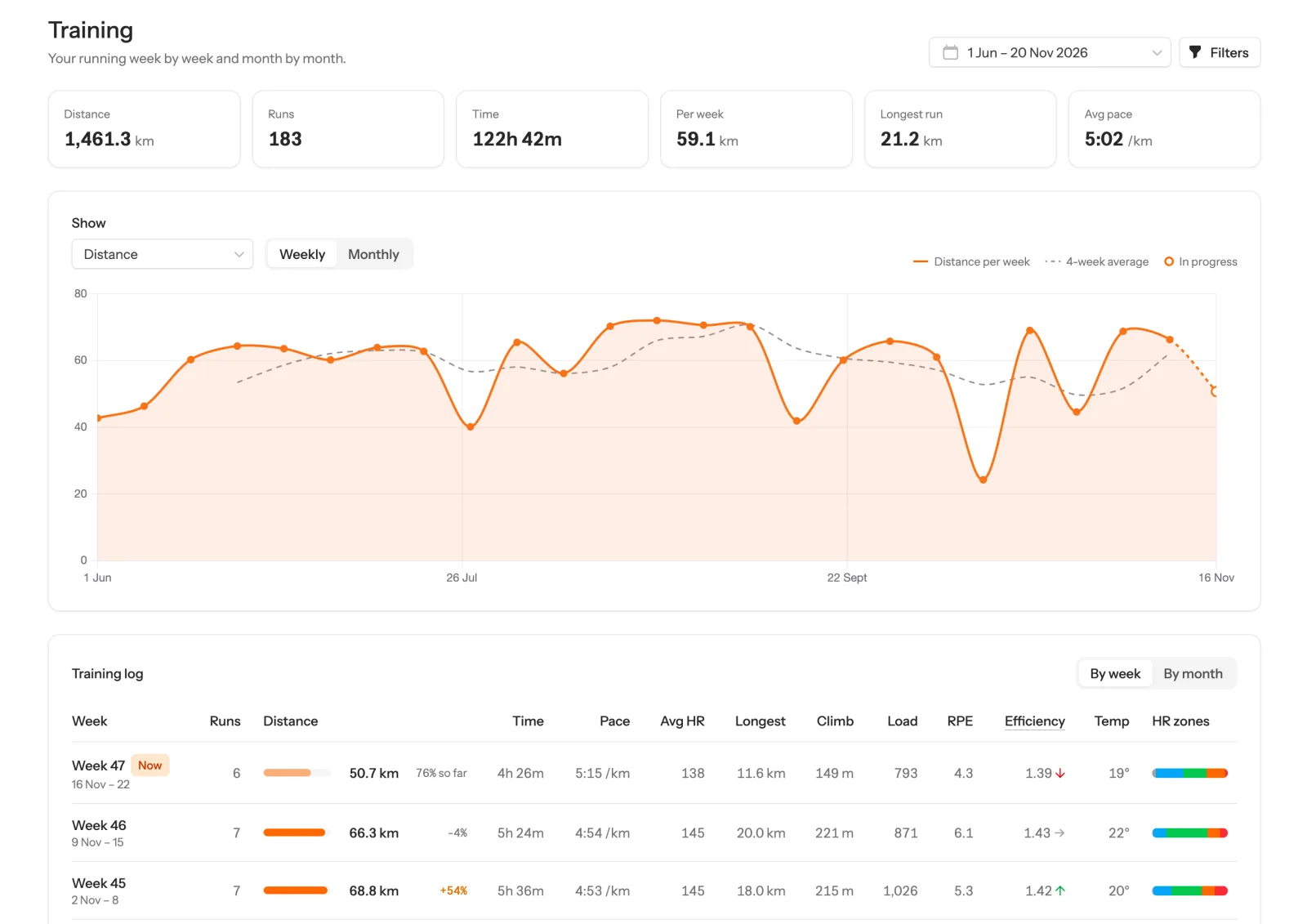
Weekly and monthly running distance, time, pace, climbing and load, against a four-week average, so you can see when you’re building and when you’re overdoing it.
What Training does
-
By week or by month
Distance, time, average pace, climbing, training load and your longest run for every week or month, with this one shown in progress.
-
Against your average
A four-week average line on every chart, so a big week stands out for what it is.
-
Heart rate zones and efficiency
Time in each heart rate zone week by week, and running efficiency: metres covered per heartbeat, rising as you get fitter.
-
Filter to what matters
Only count certain run types, efforts, distances or conditions, and every chart and total follows.
-
The training log
Every week or month as a row with all its numbers, ready to compare.
How it works
All you need is a Garmin watch and a Garmin Connect account.
- 1 Sign up Create your account with your email address.
- 2 Connect Garmin Allow access on Garmin’s own page. It takes a couple of minutes.
- 3 It fills itself in Each run and night of sleep arrives minutes after your watch syncs.
More features
All features- Workouts Build interval and tempo workouts with your own paces, then send them to your watch and your plan in one click. See how it works →
- Zones Time and distance in each heart rate and pace zone, by run type, week or month, so easy days stay easy. See how it works →
- Paces What you could race at every distance, from your own recent best efforts, with the workings shown. See how it works →
- Report Plot any two things about your runs against each other: are you faster in the cold, or after a good night’s sleep? See how it works →
- Dashboard Runs, distance, time and load for the week, month or year, with what you planned next to what you did. See how it works →
- Run analysis Splits, heart rate zones, training effect, the weather and how rested you were, for every run. See how it works →