Plan your training week and watch it fill in from Garmin
Plan runs, workouts and other sessions by day and time of day, then see each one ticked off automatically when your Garmin activity comes in.
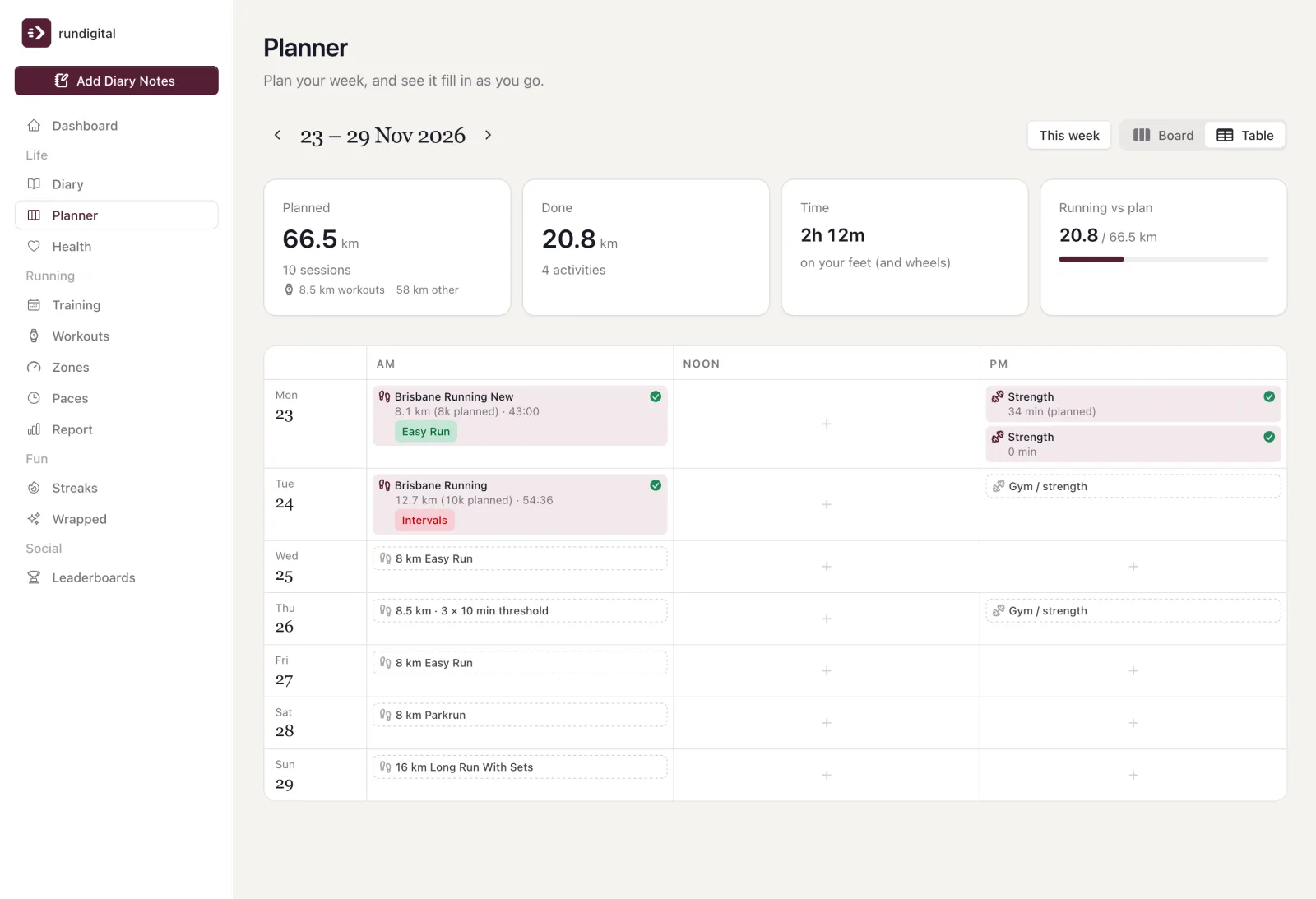
What Planner does
-
A board or a table
A column per day on bigger screens, or the whole week as a compact table that fits a phone. Each day splits into AM, noon and PM.
-
Ticks itself off
Each planned session matches the activity that fulfils it, same day, time of day and sport, and takes on its tag. Match one by hand if you ran at another time.
-
Structured workouts too
Plan one of your saved workouts or a template, and it goes on your Garmin calendar at the same time. Move or remove it in the planner and Garmin follows.
-
Planned against done
Planned and completed distance, time, and running against plan for the week, with workout distance shown apart from the rest.
-
Every kind of session
Runs, rides, swims, walks, hikes and the gym, with a distance, a run type and notes.
How it works
All you need is a Garmin watch and a Garmin Connect account.
- 1 Sign up Create your account with your email address.
- 2 Connect Garmin Allow access on Garmin’s own page. It takes a couple of minutes.
- 3 It fills itself in Each run and night of sleep arrives minutes after your watch syncs.
More features
All features- Diary Every day in one place: your training, your body, the weather and your own notes, with what’s coming up above today. See how it works →
- Health Resting heart rate, HRV, sleep, stress, Body Battery and weight over time, with your own notes on top. See how it works →
- Dashboard Runs, distance, time and load for the week, month or year, with what you planned next to what you did. See how it works →
- Run analysis Splits, heart rate zones, training effect, the weather and how rested you were, for every run. See how it works →
- Training Weekly and monthly distance, pace, climbing and load against a four-week average, so you know when you’re building. See how it works →
- Workouts Build interval and tempo workouts with your own paces, then send them to your watch and your plan in one click. See how it works →